
Article
Your phone is enough: Mine XCB with CorePulse and CoreStarter
Contents
- Miners compute, nodes check
- Elsewhere, the ticket costs thousands of dollars
- The barrier was never hardware. It was the terminal.
- CorePulse: your phone joins the work
- CoreStarter: your own node in one click
- Your node counts more than you think
- What you need to know
- How to start
- FAQ: CorePulse and CoreStarter
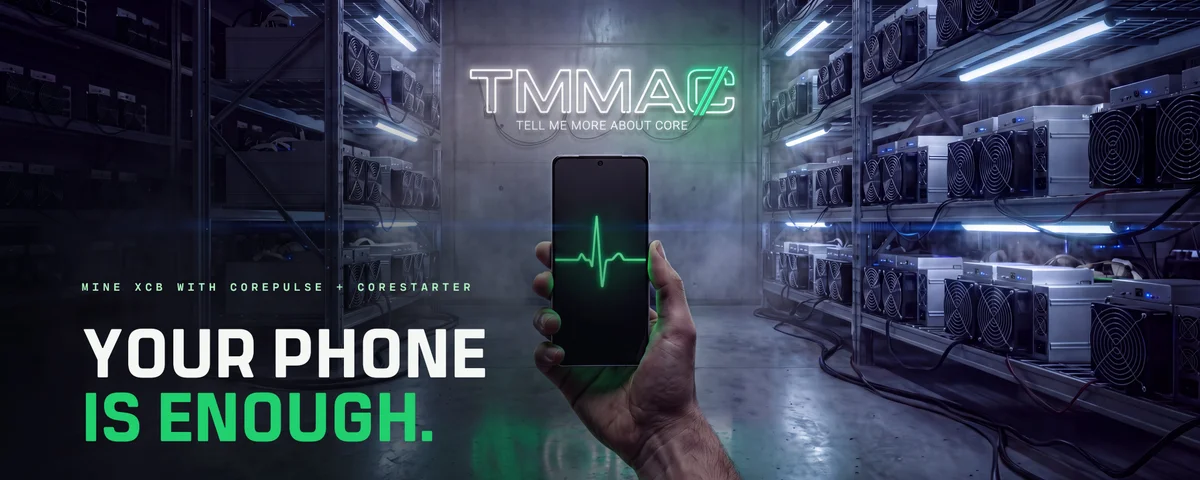
To mine Bitcoin today, you need a machine that costs thousands of dollars.
To mine Core, the phone in your pocket is enough.
That is not a technical footnote. It decides who a network belongs to. A network belongs to the people who run it. If only a few can afford to, it belongs to a few.
One barrier was still in the way: the terminal. The official guide for the Core Blockchain (XCB), not Core DAO, starts with one command: chmod +x gocore. Want your own node, your own computer in the network? Type this line too:
sudo ./gocore --syncmode "full" --datadir=./mydatadir console
Anyone reading that knows instantly whether they belong. Most close the tab.
So we turned the command into a button.
The short version: CorePulse is an Android app that lets your phone mine XCB, meaning it does work for the Core Blockchain and gets rewarded for it. CoreStarter installs your own Core node on Windows, Linux or Mac in one click, with an optional miner. Both apps come from Tell Me More About Core, both are open source, and both turn a terminal session into a button. Every person who joins this way makes the network wider and harder to control.
Miners compute, nodes check
A blockchain is a shared ledger. Nobody keeps it alone. Many computers each hold a copy and check every new page. Who runs those computers decides how independent the network really is.
Core has two roles. Miners compute new blocks, the next page of the ledger, and earn XCB for it. Nodes check every block and every transfer and pass them on. Core describes each node as a small database server that holds a copy of the entire blockchain.
Core runs on Proof of Work, more precisely on its own variant called PoDE, short for Proof of Distributed Efficiency. Security comes from real computing effort. Whoever computes, secures the network. The only question is who gets to compute.
Elsewhere, the ticket costs thousands of dollars
On Bitcoin, hardly anyone mines with their own computer anymore. Mining runs on ASICs: special devices built for a single type of calculation. A current model like the Antminer S21 XP sells for several thousand dollars at retailers and draws 3,645 watts. More than a kettle, around the clock.
Litecoin looks the same. The Antminer L9 draws 3,260 watts according to retailer specs.
Anyone who can't buy such a machine watches from the sidelines. Computing power drifts to those with capital, cheap electricity and a warehouse. These chips secure Bitcoin reliably. The price is who still gets to take part.
With PoDE, Core takes a different road. CoDeTech co-founder Ockert Loubser explained the difference in an AMA in June 2026: Proof of Work asks who did the computing. Proof of Stake asks who locked up enough capital. PoDE asks who can contribute efficiently and in a distributed way.
The algorithm behind it, RandomY, is built for ordinary processors. Core itself states that mining needs no special devices: a phone or a laptop will do. We covered why that matters against mining farms in From mining farms to real decentralisation.
Almost everyone already owns the hardware. Something else was missing.
The barrier was never hardware. It was the terminal.
Core's official guides are good. They are written for developers. Set permissions, type commands, redirect logs, set up a background service. Anyone who has never done that drops out before they start.
The result: the network runs on the machines of people who could do it anyway. A network run only by technicians is narrower than it needs to be.
So we built two apps. One for the device in your pocket, one for the computer on your desk.
CorePulse: your phone joins the work
CorePulse turns your Android phone into a miner. One screen, three inputs: your Core address, which is your account on the Core Blockchain, a name for the device, and how hard it should work. 25, 50, 75 percent or all of it. Then start.
The app mines for Catch That Rabbit, a mining pool for the Core Blockchain. A pool combines the computing power of many devices and splits the reward by share. It pays straight to your address once 0.1 XCB has built up, with payouts every four hours. No money ever passes through the app.
CorePulse measures the battery temperature while it runs. It pauses at 50 °C and stops at 55 °C. Off the charger, it stops at 20 percent battery.
No account. No tracking.
CorePulse runs on Android 9 or newer with a 64-bit processor. Often the old phone in your drawer will do. Get it from the CorePulse download page, with checksum and source code. In its first nine days it was downloaded more than 500 times.
CoreStarter: your own node in one click
CoreStarter does the work you would otherwise need a terminal for. Download, install, tick a box. The app fetches Core's official node software, leaves it unchanged and runs it in the background. Trust stays with Core. We provide the controls.
Your node then downloads the blockchain and connects to other nodes around the world. On our test machine it held 42 connections once it had caught up. One window shows what is happening: whether the node is in sync, how many peers it talks to, whether the miner is running.
The node alone already strengthens the network and makes it more decentralized: one more independent copy, one more checker. Switch on the miner as well, and you earn XCB on the side while your computing power takes part in the network. One click does it. It ships turned off.
CoreStarter runs on Windows (64-bit), Linux (.deb, .rpm or .tar.gz) and macOS 15 or later, on Apple silicon or Intel. You need about 15 GB of free space, which grows over time. The app sends no telemetry, meaning no usage data reaches us. Everything else is on the CoreStarter download page.
Your node counts more than you think
Running a node sounds like tech for tech fans. In fact it is the simplest form of independence.
A node owner does not have to trust anyone. Your node checks every block itself. No provider and no server in between decides for you what the ledger says. Every extra copy in another place makes the network harder to switch off or rewrite.
Mining works on the same lever. On 10 November 2026, around 230 miner addresses were working in the Catch That Rabbit pool across four regions. In a network this size, every newcomer shows. Add a hundred phones with their own addresses, and almost one in three addresses in the pool belongs to a newcomer.
Decentralization can be counted: how many take part, and how different are they?
What you need to know
- While mining, both apps compute a fixed 0.42 percent share for Tell Me More About Core: 25 seconds per 100 minutes. It is the same for everyone, shown in the consent screen before the first start, and cannot be switched off. It funds further development.
- The pool sees your address, the device name, the computing power and your IP address. The connection to the pool is not encrypted.
- How much XCB you receive depends on power, runtime and the network. There is no promise of earnings. Mined XCB may be taxable where you live.
- CoreStarter is not code-signed yet, so Windows and macOS warn you on first launch. With Smart App Control active on Windows 11, CoreStarter will not start.
- CorePulse and CoreStarter are apps by Tell Me More About Core, not by Core itself. The source code is public on GitHub and every file has a published checksum.
All of this appears in the app before it computes anything. You decide with one tick.
How to start
- Get a Core address, for example in the CorePass app.
- Phone: download CorePulse, scan your address, tap start.
- Computer: download CoreStarter, install it and let the node run. Add the miner if you like.
- Track your rewards in the app and on the pool's page for your address.
FAQ: CorePulse and CoreStarter
What is CorePulse?
CorePulse is an Android app by Tell Me More About Core that lets your phone mine XCB. It mines for the Catch That Rabbit pool, which pays straight to your Core address.
What is CoreStarter?
CoreStarter, often written Core Starter, is an app for Windows, Linux and Mac that installs and runs an official Core node. If you want, it mines XCB as well.
Do I need both apps?
No. CorePulse is for your phone, CoreStarter for your computer. Each works on its own. Use both and you contribute twice: with computing power and with your own copy of the blockchain.
Why is CorePulse not on Google Play?
Google and Apple do not allow apps that mine on the device in their stores. That is why CorePulse comes straight from our website, with checksum and open source code. CorePulse is available for Android.
What is PoDE?
PoDE stands for Proof of Distributed Efficiency. It is the Core Blockchain's variant of Proof of Work, built for many small devices instead of a few large machines. CorePulse and CoreStarter let you take part.
What does it cost?
No price, no subscription. While mining, 0.42 percent of the computing time goes to Tell Me More About Core. Your device's electricity is on you.
The command chmod +x gocore still works, by the way. You just don't need it anymore.
Sources
- Mining Tutorial, Core Blockchain, 8 May 2022.
- How to Run Nodes, Core Blockchain, 7 January 2024.
- Core Blockchain: Web 4.0, Core Blockchain, 24 August 2022 (PoDE, mining without special devices).
- AMA with Ockert Loubser, Binance Square, 16 June 2026.
- Bitmain Antminer S21 XP (270Th/s), ASIC Miner Value, retail prices and power draw, as of 10 November 2026.
- Bitmain Antminer L9 17GH, Kryptex Pool, power draw, as of 10 November 2026.
- Catch That Rabbit mining pool, public stats API (miner addresses per region), 10 November 2026.
- App Review Guidelines, Apple, guideline 2.4.2 (no on-device mining).
- CorePulse source code and CoreStarter source code, Tell Me More About Core on GitHub.
- CorePulse and CoreStarter download pages, Tell Me More About Core.